Rebooting
In the System provisioning Toolbar, select  Tools and hit the Reboot tab.
The Reboot window is displayed:
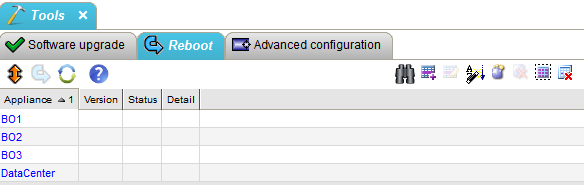
This window contains:
| • | the list of appliances, |
| • | the following command buttons: |
 (Select
all): selects all the Appliances
(Select
all): selects all the Appliances
 (Reboot):
all the selected Appliances receive a reboot
order
(Reboot):
all the selected Appliances receive a reboot
order
 (Refresh):
refreshes the view
(Refresh):
refreshes the view
 (Help):
opens the contextual Help window
(Help):
opens the contextual Help window