Run the Basic Configuration Wizard to assign basic network settings such as IP addresses, VLAN IDs, hostnames, DNS, default gateway, and NTP.
The wizard launches automatically when you log in to the appliance for the first time, or after the appliance has been reset to factory-default settings. You can also run the wizard after the initial setup to update network settings.
The wizard includes an option to enable DHCP (it's disabled by default). When DHCP is enabled, some basic network settings are provisioned automatically.

Note
The wizard prompts you with a series of yes/no, multiple choice, and manual entry questions within a series of settings groups. The following conventions apply:
ICC1 IP Address [192.168.10.1]
where 192.168.10.1 is the default IP address for the ICC1 port. To apply the
default, just press Enter. (y|n)[y] where yes
and no are options (and the default is yes). To select no, which is a
non-default value, press n and then press Enter.Note
The default admin credentials for the first login are as follows. Note that these values are case-sensitive. As a best practice, we recommend that you change the password immediately after the first login.Note
If you enable DHCP, the configuration wizard will skip the data port IP address and netmask steps from this set of settings. Also, the Host Attribute Settings, and Default Gateway settings will also be skipped as DHCP will provision those settings.Note
Make sure that the NTP settings are correct before you accept settings. Several system functions depend on an accurate timestamp.| Menu Option | Command |
|---|---|
| Admin Password Configuration | 1 |
| Change ICC Port Settings | 2 |
| Change Data Port Settings | 3 |
| Change Host Attribute Settings | 4 |
| Change Global Default Gateway | 5 |
| Change Time Settings | 6 |
| Apply Settings and Exit | A |
| Exit Without Applying | E |
Note
What to do Next
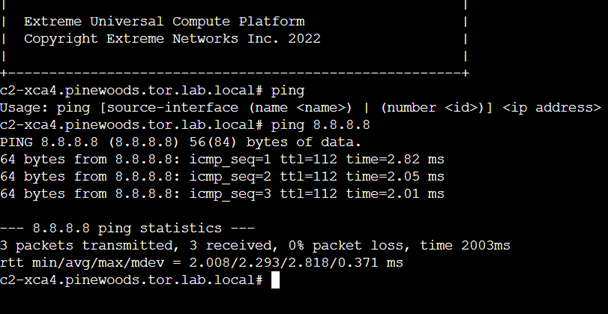
After you run the configuration wizard, use the ping command to test connectivity to external services.