Evaluate Application Policy

Use this task to evaluate application policy.

  1. Go to Monitor > Troubleshooting and select the Application Policy Evaluation tab.
  2. Configure the settings.
    Table 1. Settings for Application Policy Evaluation
    FieldDescription
    UserSelect a user from the drop-down list.
    ApplicationSelect an application from the drop-down list.
    Access ModeSelect the Agentless or Agent-Based option.
    Location-Based ConditionSelect a geographic location from the drop-down list.
    DeviceIf testing agent-based, a device must be selected. If agentless is being tested, no device is required.
    Time-Based ConditionSelect a time zone from the drop-down list. You can also select a start time and end time.
  3. Select Evaluate.
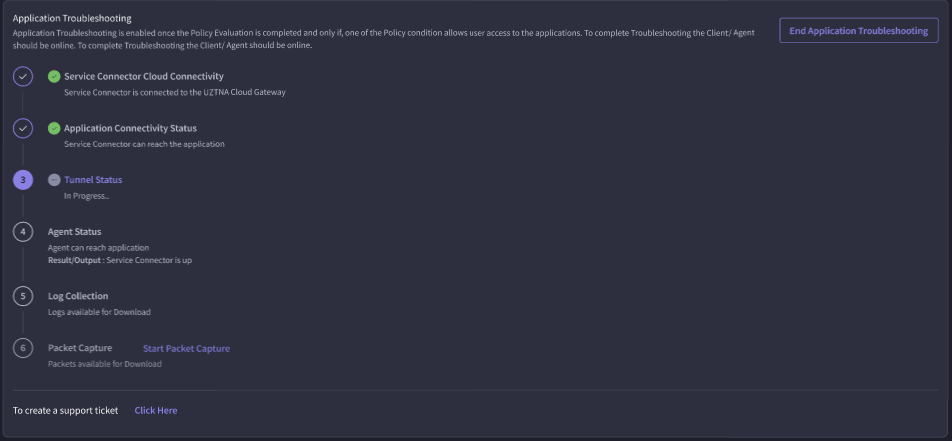
The Evaluation Results and Application Troubleshooting sections display. To enable troubleshooting, select Start Application Troubleshooting.
Note

Note

The client/agent must be online.
To end the process before all items have been analyzed, select End Application Troubleshooting.