Four self-adhesive rubber pads are included with the switch for mounting on tables or other flat surfaces. The pads keep the switch from scratching the supporting surface and help ensure adequate airflow around the switches when they are mounted on top of one another. You can safely place up to four switches on top of one another.
Caution
Do not place other equipment on top of table-mounted switches.
To mount a switch on a table - or any firm, flat surface - follow these steps.
Carefully separate the four rubber pads that are provided
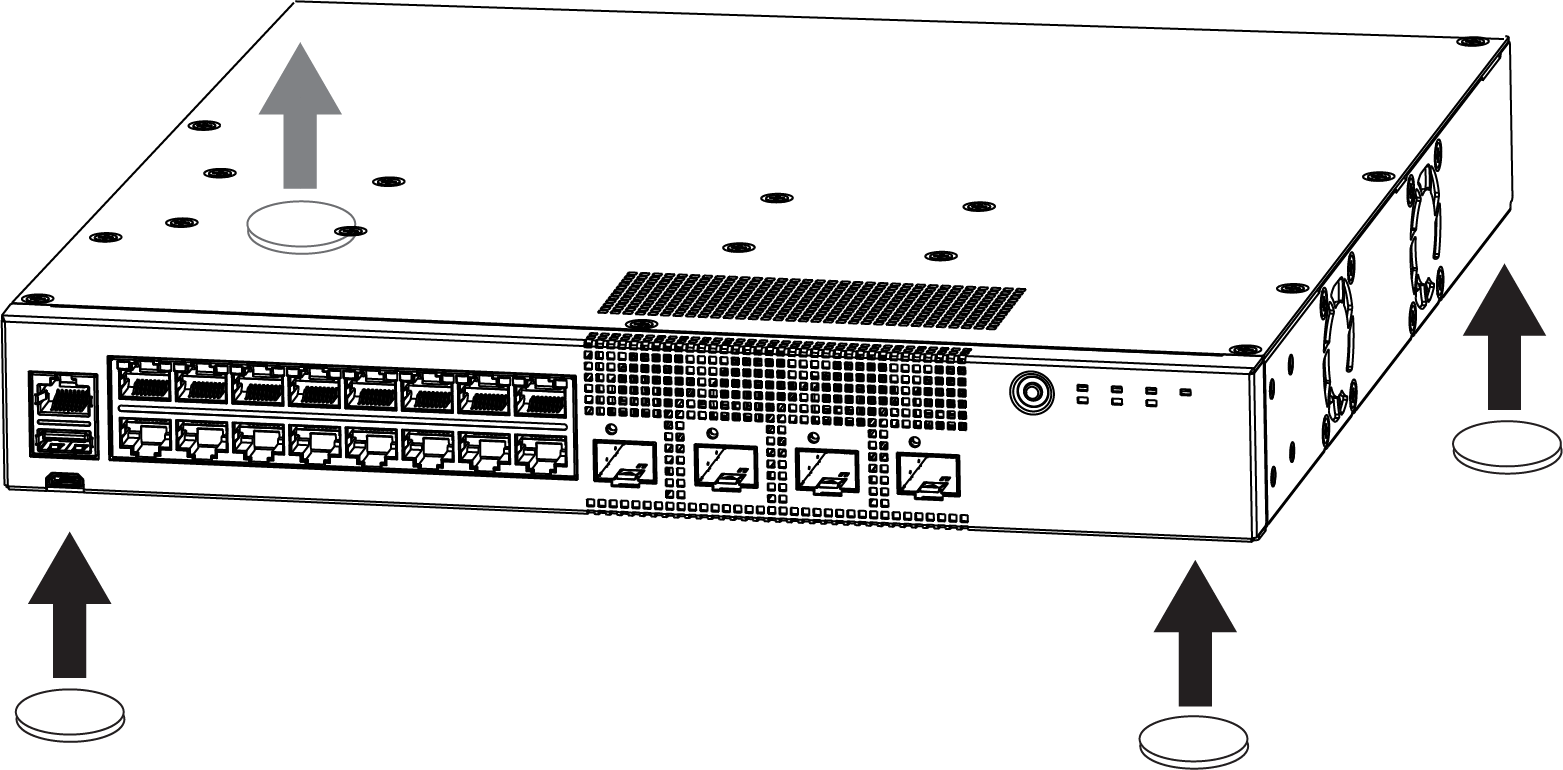
Apply the pads to the underside of the switch by placing a pad at each corner, ensuring that all corners are aligned. Mount the Device on a Table shows the locations for attaching the rubber mounting feet on the switch.
Mount the Device on a Table
Mount the Device on a Wall
The 5320-16P switch models are constructed so that they can be mounted on a wall. Ensure that the wall is strong enough to support the weight of the switch and the attached cables.
Note
Orientation for wall mounting is limited. The front end of the switch must be facing down, and the power inlet must be facing up when mounting a switch to the wall.
To mount a switch to the wall, follow these steps.
Using the two holes in each short mounting ear, mark the places on the wall to mount the switch. Each mounting ear has two mounting holes, so be sure to make four marks. Be sure to position the marks so that the switch is level when it is mounted.
Drill a hole at each mark.
Insert a provided anchor into each hole. Gently tap each anchor with a hammer, if necessary, to ensure that it is inserted tightly.
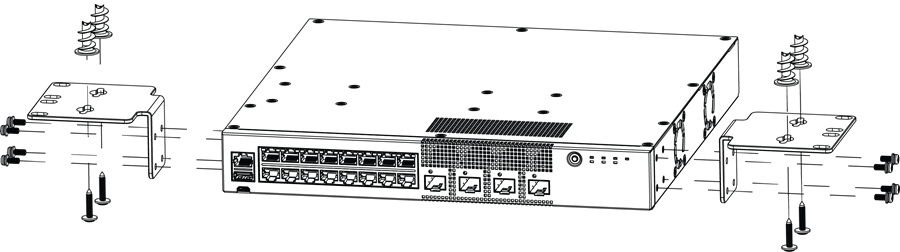
Mount the switch on the wall by screwing a provided wood screw through each hole in the wall-mounting ears into the anchors. Ensure that all screws are securely fastened and that the switch is firmly attached to the wall.
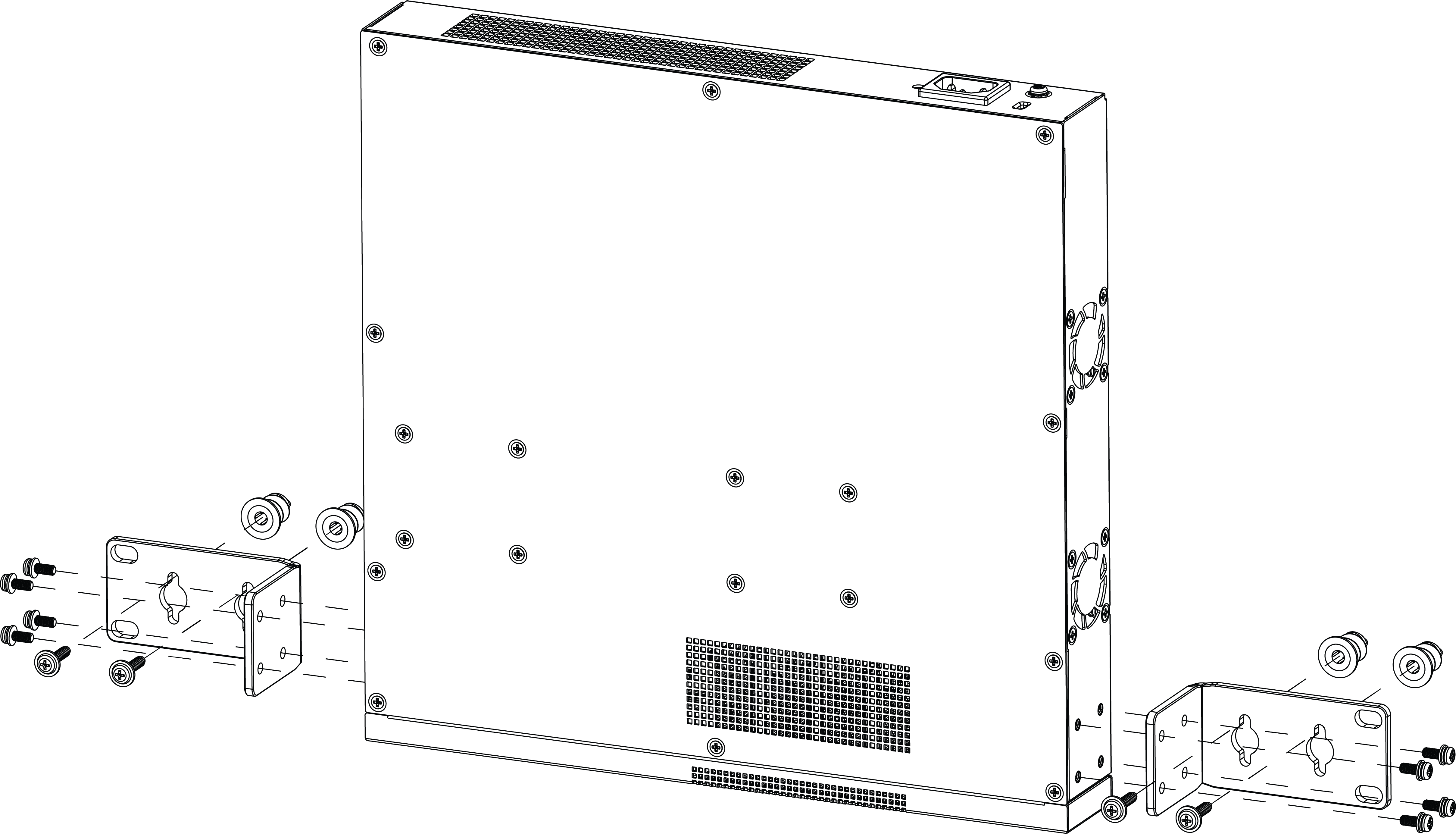
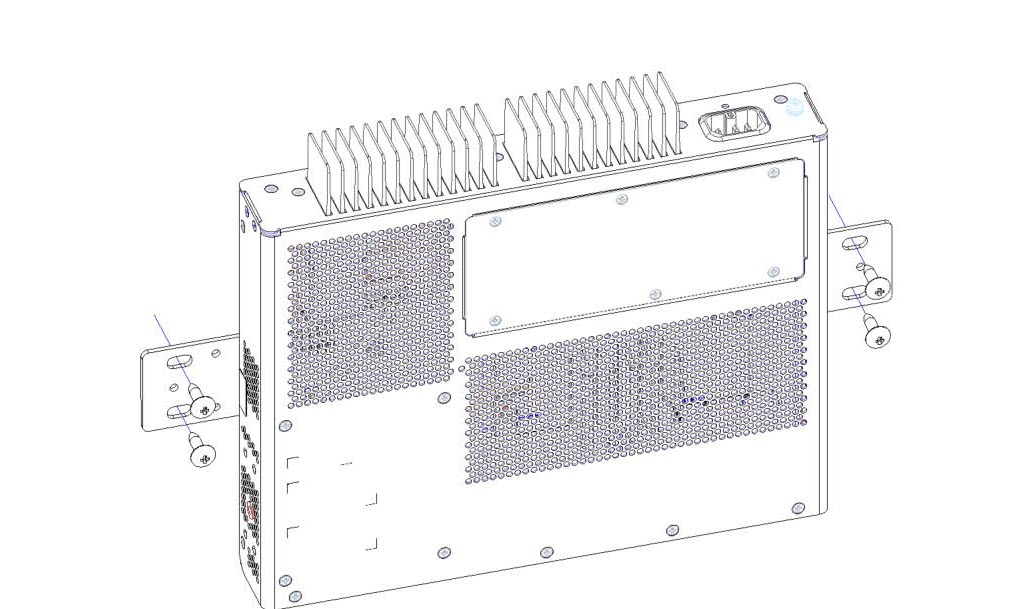
Wall-Mount: Attaching 1U mounting ears to 5320-24T-4X-XT and 5320-24T-24S-4XE-XT
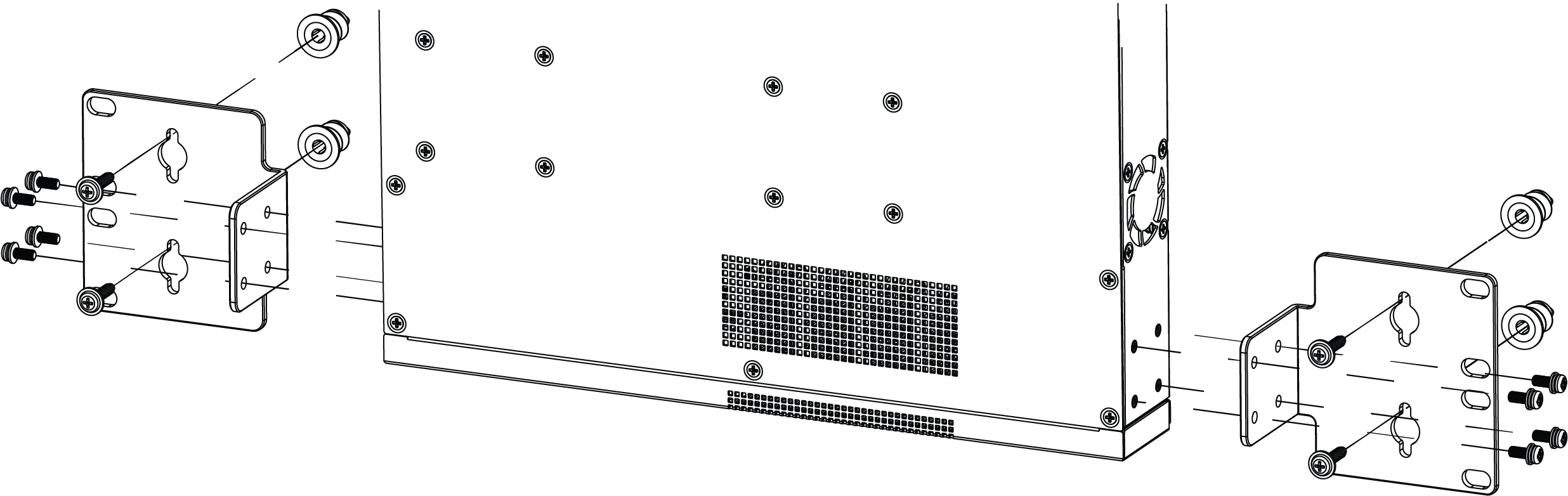
Wall-Mount: Attaching larger mounting ears to 5320-24T-4X-XT and 5320-24T-24S-4XE-XT
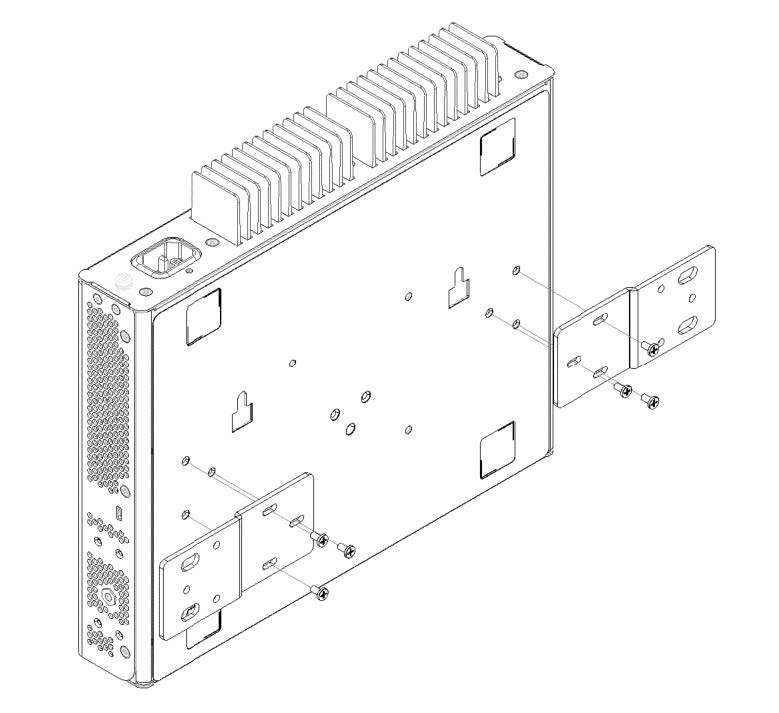
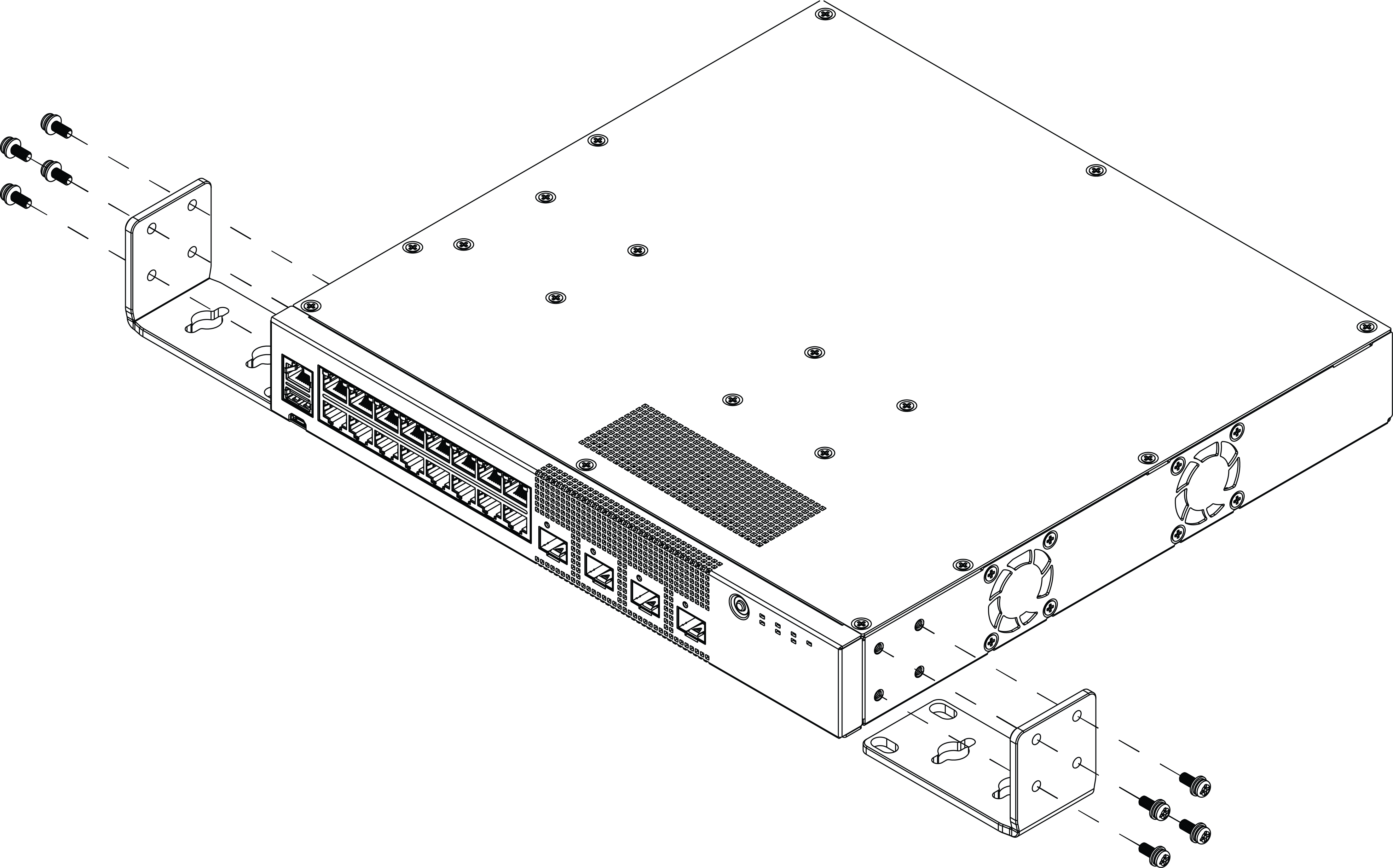
Wall-Mount: Attaching mounting ears to 5320-16P-2MXT-2X and the wall
Alternate method of attaching 1U mounting ears for 5320-24T-4X-XT and 5320-24T-24S-4XE-XT
Alternate method of attaching larger mounting ears 5320-24T-4X-XT for and 5320-24T-24S-4XE-XT
Mount the Device Under a Table
The 5320-16P switch models are constructed so that they can be mounted under a table. Ensure that the table is strong enough to support the weight of the switch and the attached cables.
To mount a switch under the table, follow these steps.
Using the two holes in each short mounting ear, mark the places under the table to mount the switch. Each mounting ear has two mounting holes, so be sure to make four marks.
Drill a hole at each mark.
Insert a provided anchor into each hole, if an anchor is needed. Gently tap each anchor with a hammer, if necessary, to ensure that it is inserted tightly.
Mount the switch under the table by screwing a provided wood screw through each hole in the mounting ears into the anchors. Ensure that all screws are securely fastened and that the switch is firmly attached to under the table.
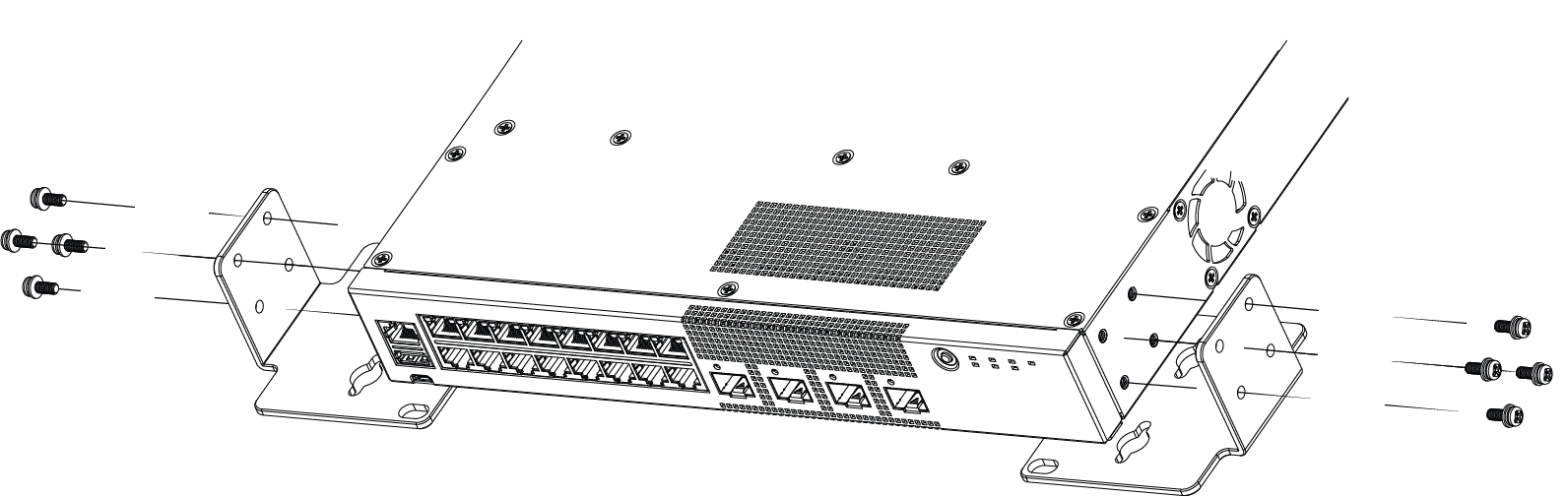
Under the Table Mount: Attaching 1U mounting ears to 5320-16P models
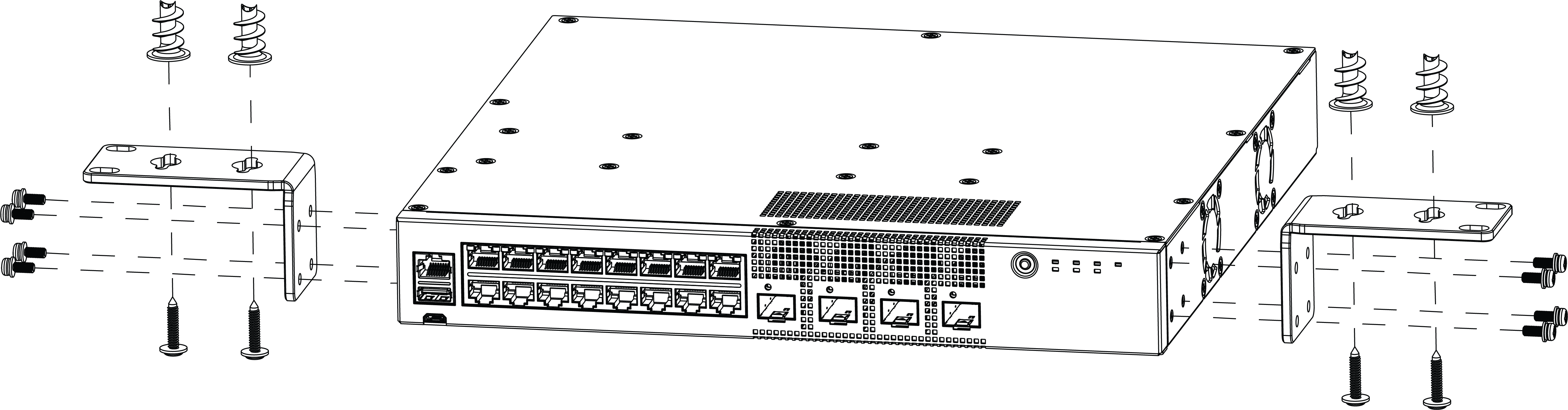
Under the Table Mount: Attaching larger mounting ears to 5320-16P models