
Extreme 8720 switches support the following power supplies:
Use the following instructions to remove and replace a power supply.

Caution
Disconnect the AC power cord from the wall outlet and from the power supply before removing an AC power supply. Ensure that the DC circuit is de-energized before removing a DC power supply.Use the following instructions to remove a power supply.
Caution
Power supplies can become very hot during operation. Wear thermal protective gloves when you remove a power supply from an operating switch.
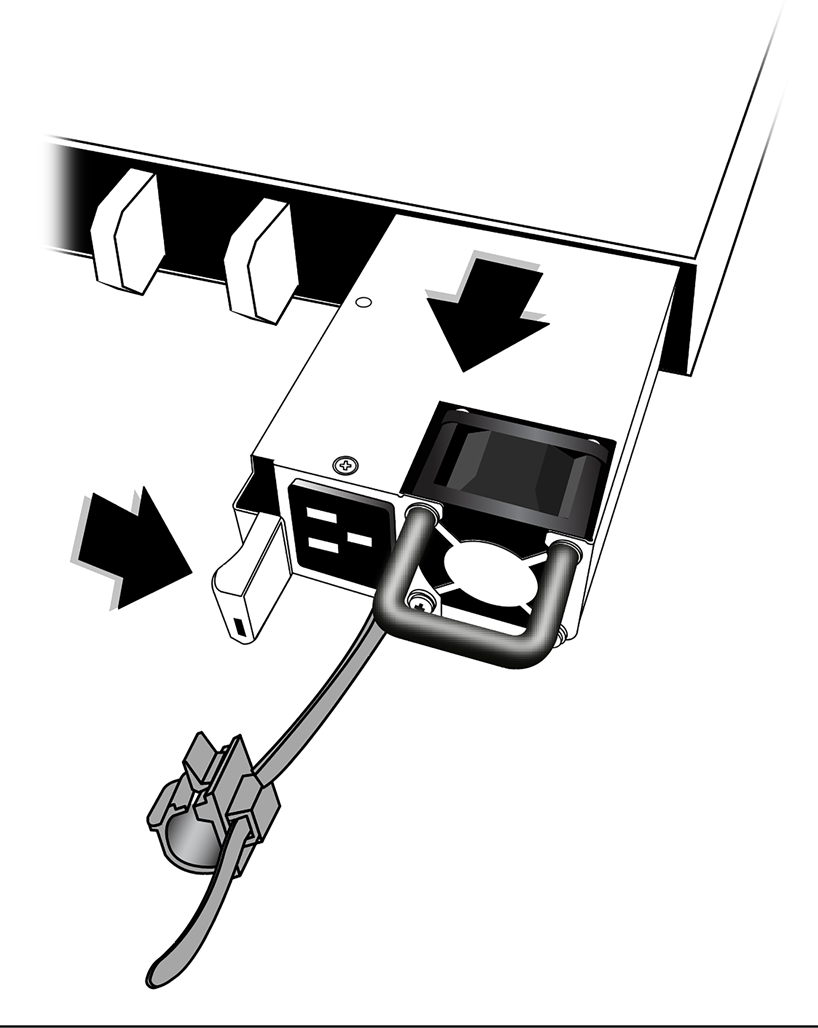

Note
If you are not installing a replacement power supply, install a cover over the unoccupied power supply bay. Unoccupied bays must always be covered to maintain proper system ventilation and EMI levels.Use the following instructions to replace or install a power supply.
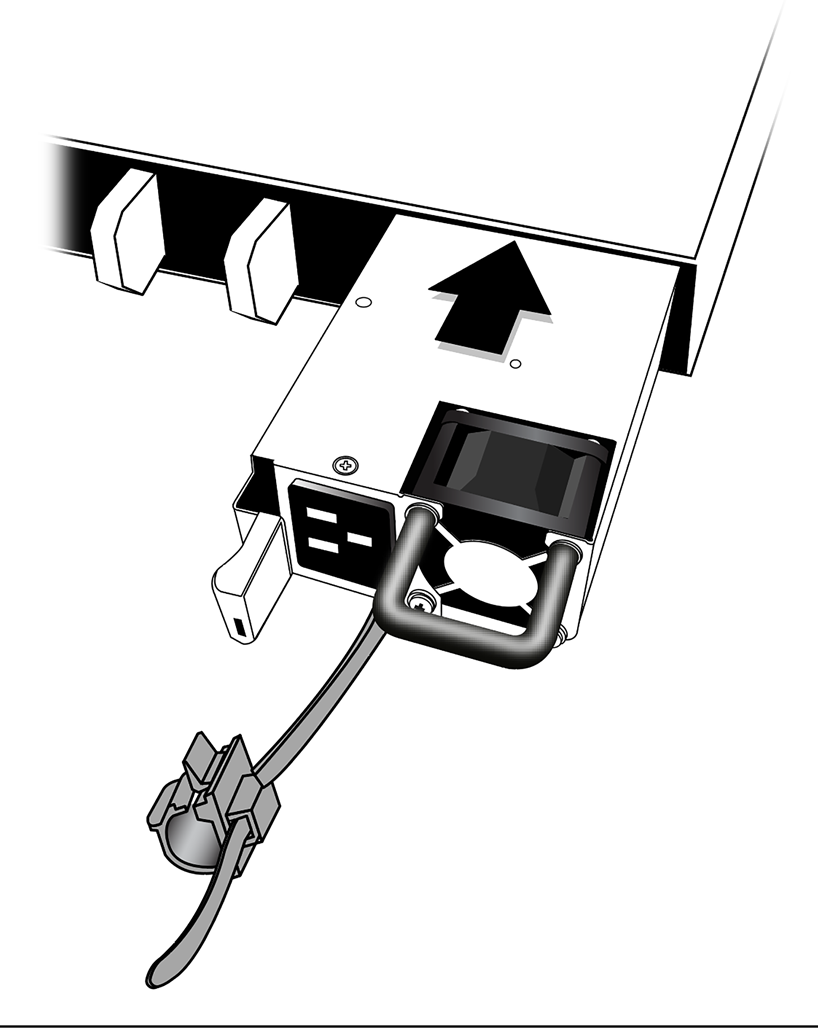
Do not slam the power supply into the switch.
Note
Be sure to install a cover over any unoccupied power supply slots. Unoccupied power supply slots must always be covered to maintain proper system ventilation and EMI levels.
To install or replace a second power supply repeat this procedure.
After installing an AC power supply, connect the power cord to the power supply and to a grounded AC power outlet.

Warning
Always make sure that the source outlet is properly grounded before plugging the AC power cord into the AC power supply.
If the power supply is equipped with a power cord retainer, use the retainer to secure the power cord to the power supply.
The diagram below - Power Supply with Power Cord and Retainer Attached shows the power supply with the power cord and retainer in place.
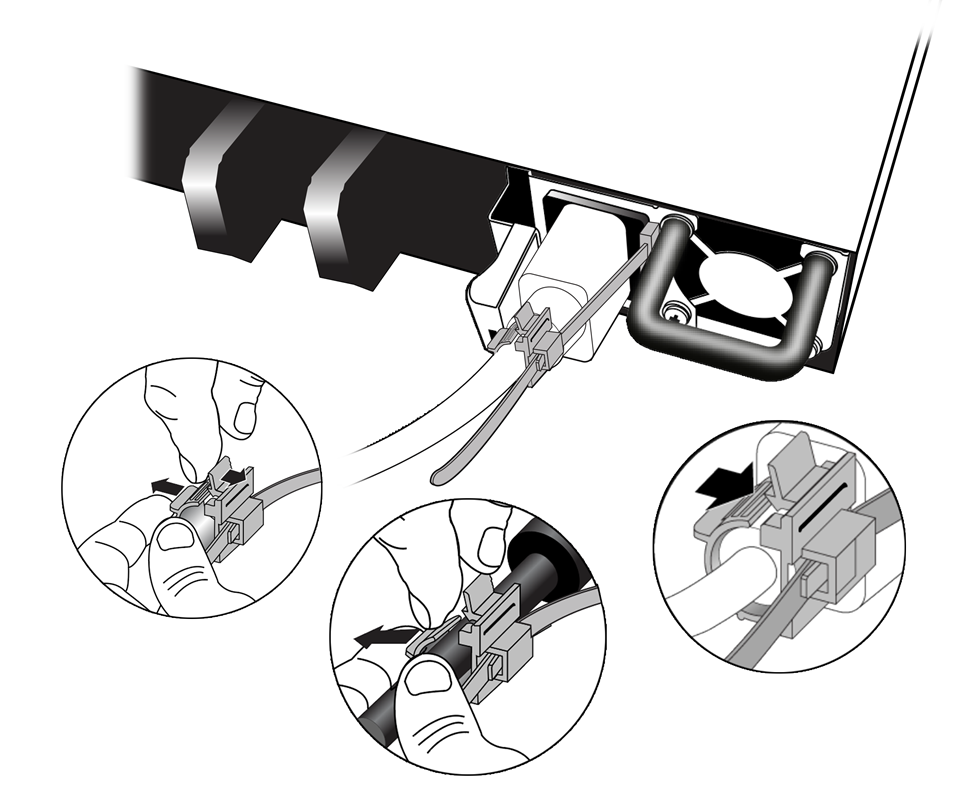
Note
Always make sure that the source outlet is properly grounded before plugging the AC power cord into the AC power supply.Leave the ESD strap permanently connected to the rack, so that the strap is always available when you need to handle ESD-sensitive components.
After installing a DC power supply, ground the power supply and connect the power supply to the power source.
Warning
Connect the chassis ground wire before you connect any power cables.