ExtremeCloud IQ
ControllerFloor Plans view offers heat maps to illustrate network readiness, performance, and optimum positioning. The following readiness maps are available:
Heat map. RSS signal strength.
Heat map: BLE. Indicates expected coverage of Bluetooth Low Energy. Supported on the 2.4 GHz band for APs with a BLE radio.
Channels map. Indicates AP channel with the strongest RSS.
Link Speed.
RFQI (RF Quality Index) of the radios enables you to quickly identify APs with poor RF quality. The labels themselves are color coded to indicate overall RF quality of the AP based on the signal strength of the clients connected to them and the retry rates. If there are no clients, there is no measurement.
In addition, see Positioning for details about heat maps that indicate optimal positioning of an AP.
To access the maps:
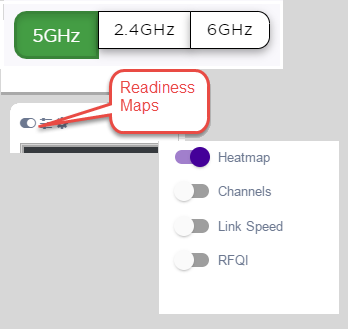
From the right panel, select Maps to display a list of map types.
To activate a map, select the ball and drag to the right.
Network Readiness Maps
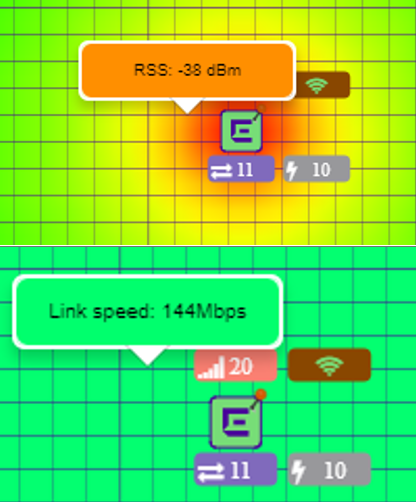
Right-click anywhere on a heatmap to view the numeric value at that location on the map.
Push-Pin Reading for Heatmap Values
You also have the option to Select All APs or Deselect All APs. Use these options in addition to individual AP selection to more easily control which APs are selected.