
It is important that you connect the antenna leads to the correct antenna port on the AP. Use the following graphic and table as a guide when you connect your antennas.

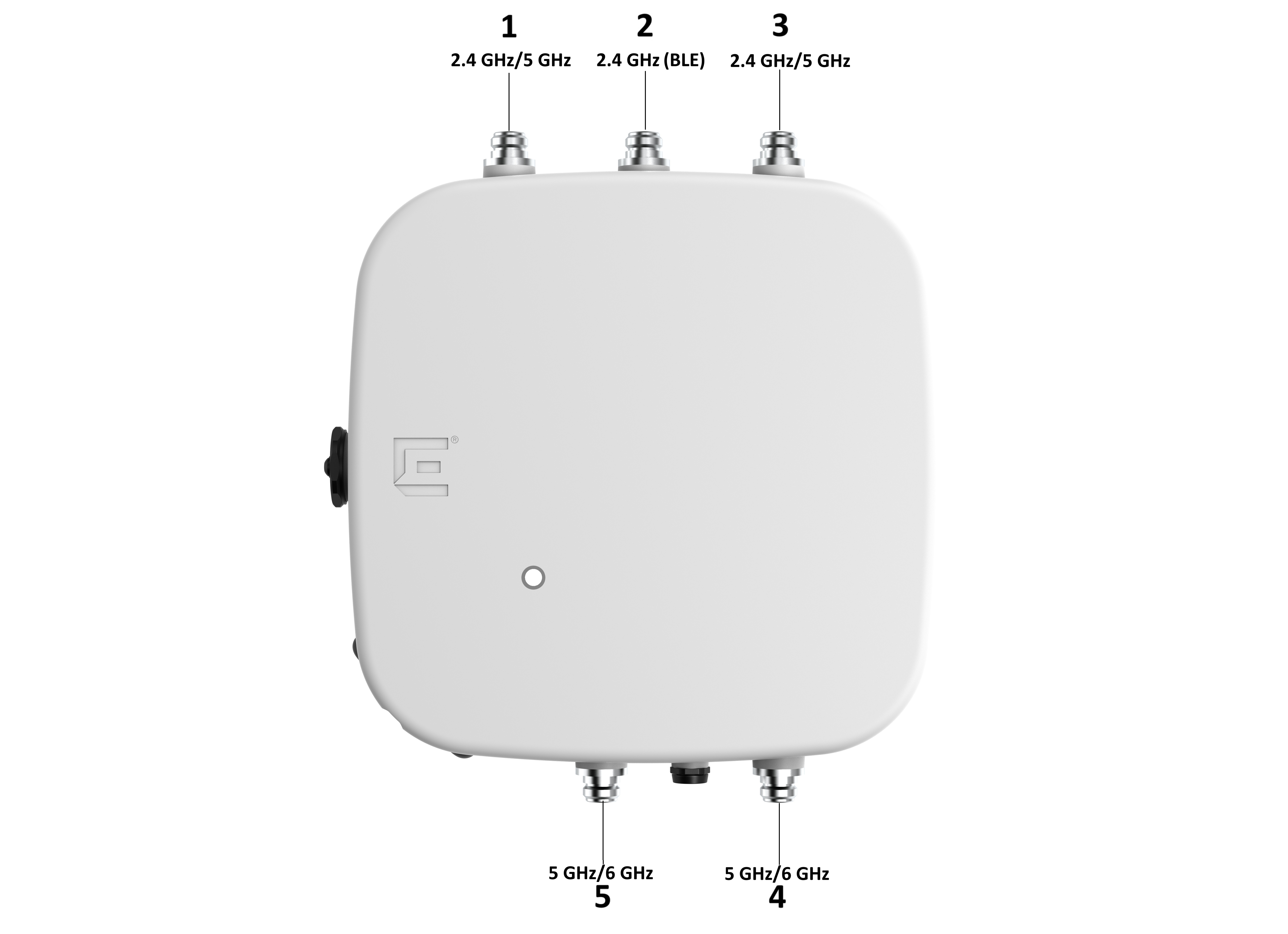
| Antenna Part Number | AP4060X Ports | ||||
|---|---|---|---|---|---|
| Antenna Port 1 (2.4/5GHz) | Antenna Port 2 (BLE) | Antenna Port 3 (2.4/5GHz) | Antenna Port 4 (5G/6GHz) | Antenna Port 5 (5G/6GHz) | |
| AIO-TS06360-N | Connect any antenna lead to any available port | ||||
| AIO-TQ08055-N | Connect 1/A V-Pol to antenna port 1. | Not Applicable | Connect 2/B H-Pol to antenna port 3. | Connect 3/C V-Pol to port 4 | Connect 4/D H-Pol to port 5. |
| AIO-TQ14035-N | Connect 1V-Pol to port 1. | Not Applicable | Connect 2H to antenna port 3. | Connect 3V to antenna port 4. | Connect 4H to antenna port 5. |
| AIO-TQ06120-N | Connect 1/A V-Pol to port 1. | Not Applicable | Connect 2/B H-Pol to antenna port 3. | Connect 3/C V-Pol to antenna port 4. | Connect 4/D H-Pol to antenna port 5. |
| AIO-HQ17020-N | Connect 1/A -45 Pol to port 1. | Not Applicable | Connect 2/B +45 Pol to antenna port 3. | Connect 3/C +45 Pol to antenna port 4. | Connect 4/D -45 Pol to antenna port 5. |