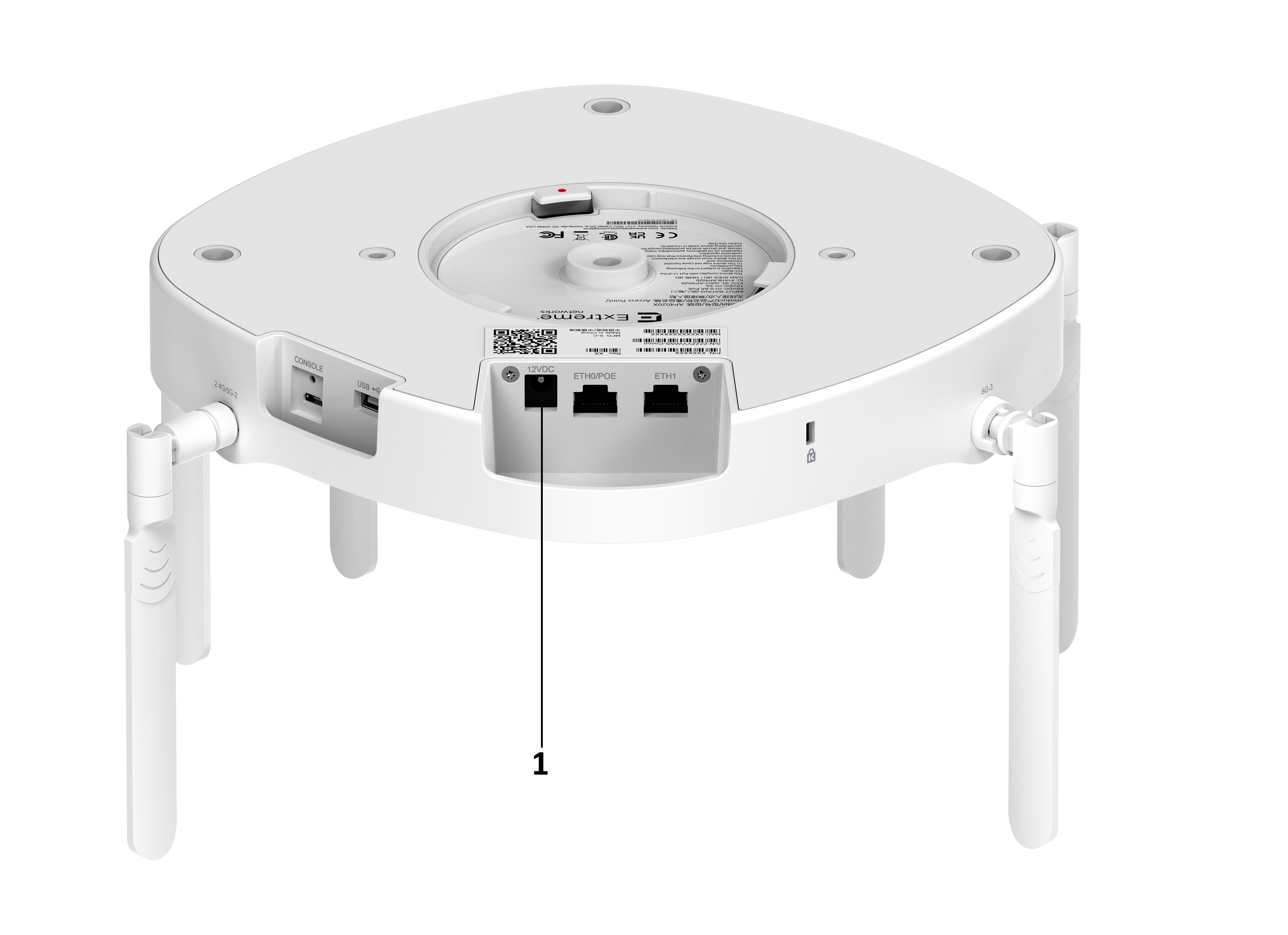
Obtain a Powertron 12V DC power supply. The power supply is ordered separately. See the table below.
Caution
Only use Extreme approved power supplies for your access point. Unapproved third-party components can damage your AP.
Table 1. Power Accessory
Part number
Description
37219
PWR 12VDC, 3A, 2.5 mm X 5.5 mm connector
About this task
You can power the AP through the ETH0 RJ45 Ethernet port. But if you prefer an external power supply, then you can use the 12V DC power supply. See the Power Profile for power consumption specifications.
AP4020X 12V Port
Table 2. AP4020X 12V Port
Item
Description
Use
1
12V DC
12-volts of direct current.
Procedure
Plug the power supply into the 12-volt power connector.
Results
The LED on the top of the AP lights up. It should be white. If the LED is amber, then your AP has a technical issue.