
Four ports for detachable, dual band 2.4 GHz and 5 GHz antennas.
Two integral 6 GHz antennas.
One console port.
One 12-volt DC connector.
One Kensington security slot.
USB 2.0 Type A, 5V/500mA with PoE 802.3at or 5V/1,000mA with PoE 802.3bt
ETH0: 100/1000/2500/5000Mbps autosensing link speed Ethernet port, PoE PD.
ETH1: 100/1000/2500Mbps autosensing link speed Ethernet port, PoE PD.
802.3az Energy-Efficient Ethernet (EEE).
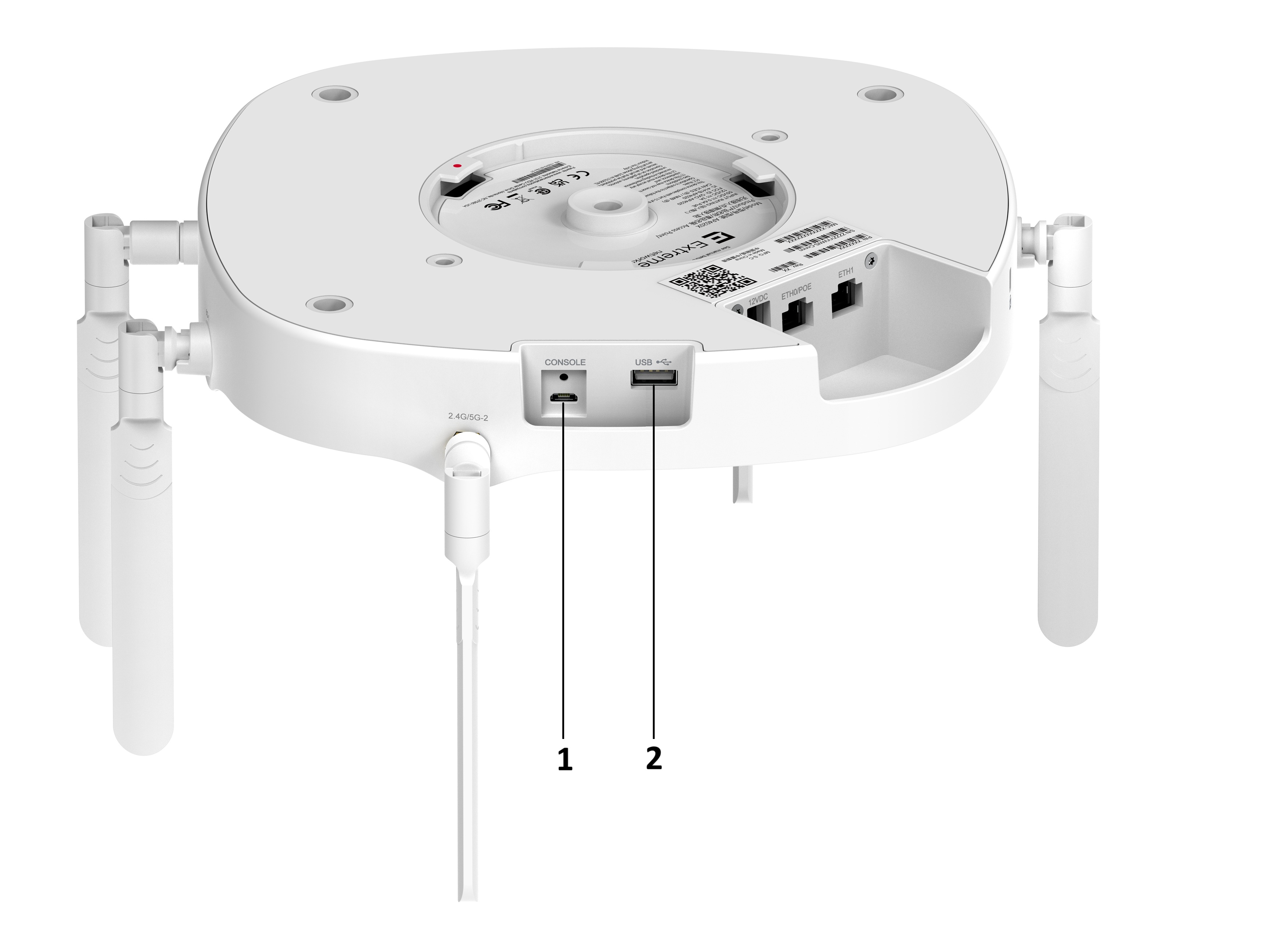
The following table and graphic show the available ports on the front of the AP.

| Item | Port | Description |
|---|---|---|
| 1 | Console port | Micro USB console port for a serial connection between your management system and the access point. Use the port when you troubleshoot the AP. Tip: The best practice is to use the Extreme Networks micro USB cable (ACC-WIFI-MICRO-USB). When you connect to the device, the management station must have a VT100 emulation program, such as the terminal emulator TeraTerm Pro or Hilgraeve HyperTerminal. Set your baud rate to 115200.
Note: The console port can only be used with the Extreme Networks console cable. You could damage the AP if you use another cable.
|
| 2 | 2.0 USB type A | Used with a thumb drive or other external device. |
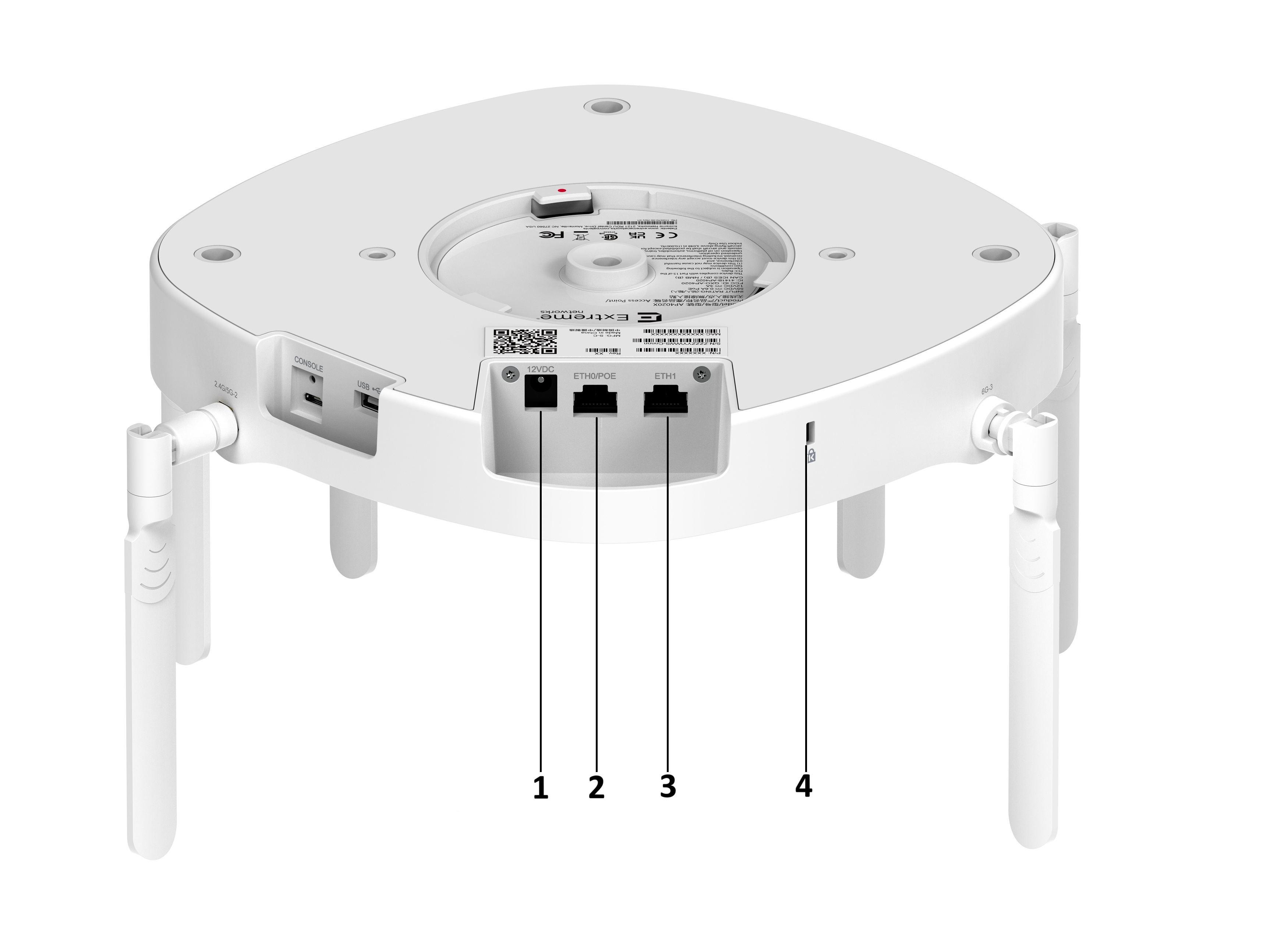
The following table and graphic show the available ports on the rear of the AP.
| Item | Port | Description |
|---|---|---|
| 1 | 12VDC | 12 volts of direct current |
| 2 | ETH0/POE port | Ethernet port |
| 3 | ETH1 port | Ethernet port |
| 4 | Kensington security slot | A security feature that prevents someone from removing the AP. This is optional. |
The following table lists the available radio modes.
| Radio 1 | Radio 2 | Radio 3 | Scan Radio | Active WiFi Antennas | |
|---|---|---|---|---|---|
| Radio Mode 1 | 2.4GHz - Full | 5GHz - Full | 6GHz - Full | 1X1 Sensor | 1, 2, 3, 4 |
| Radio Mode 2 | 2.4GHz - Full | 5GHz - High | 5GHz - Low | 1X1 Sensor | 2, 4, 5, 6 |
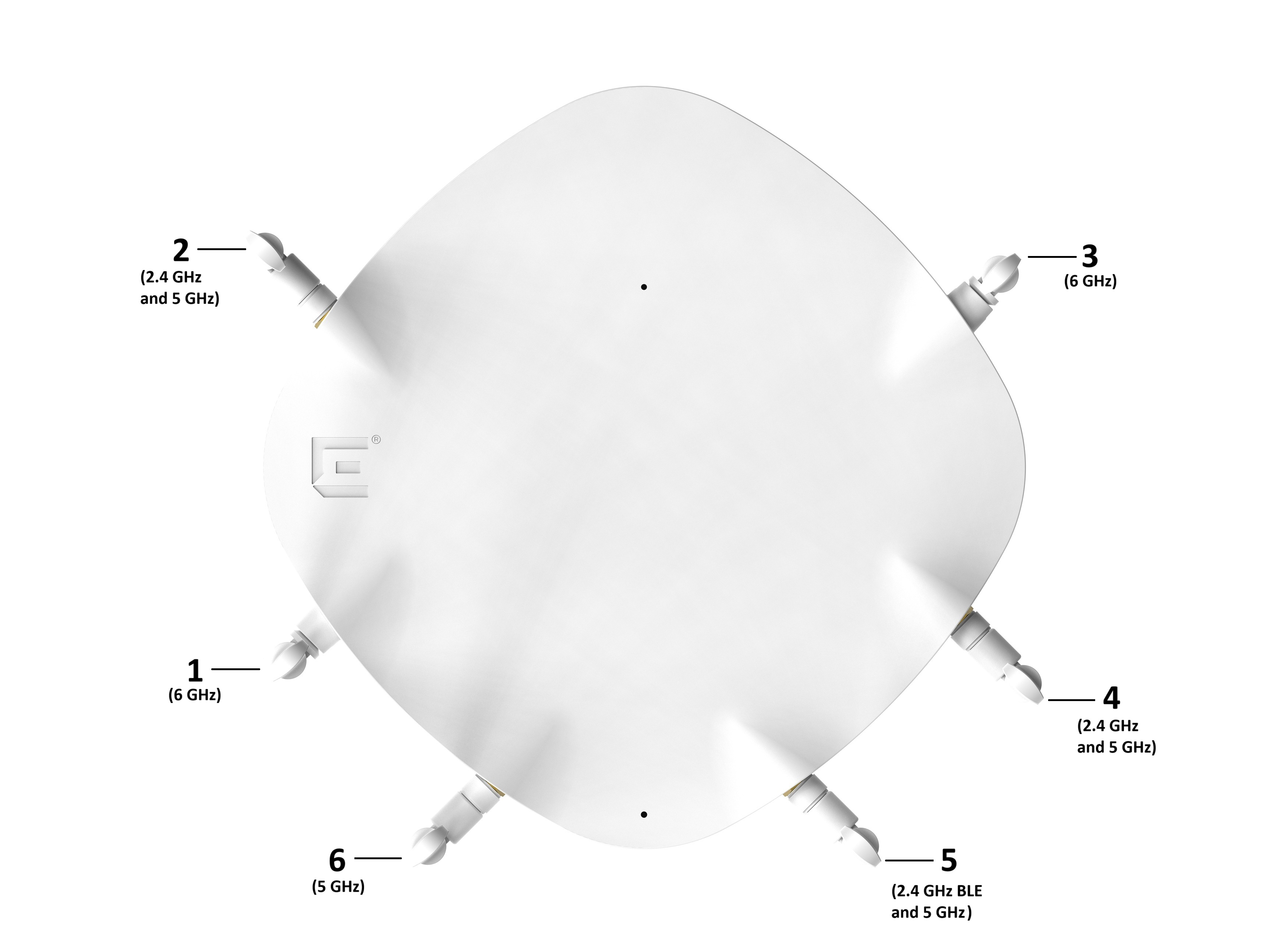
Active WiFi antennas for each radio mode are as follows:
Radio Mode 1: 1, 2, 3, and 4
Radio Mode 2: 2, 4, 5, 6

Note
BLE/5G-5 antenna is active when BLE is enabled.| Port | Description |
|---|---|
| 1 |
External integral-type antenna Single frequency: 6G-Full Label: 6G-1 |
| 2 |
External RPSMA-type antenna connector Dual frequency: 2.4G-Full, 5G-Full, 5G-High Label: 2.4G/5G-2 |
| 3 |
External integral-type antenna Single frequency: 6G-Full Label: 6G-3 |
| 4 |
External RPSMA-type connector Dual frequency: 2.4G-Full, 5G-Full, 5G-High Label: 2.4G/5G-4 |
| 5 |
External RPSMA-type connector Dual frequency: BLE/IOT (2.4G) Radio 1, 5G-Low Label: BLE/5G-5 |
| 6 |
External RPSMA-type connector Single frequency: 5G-Low Label: 5G-6 |