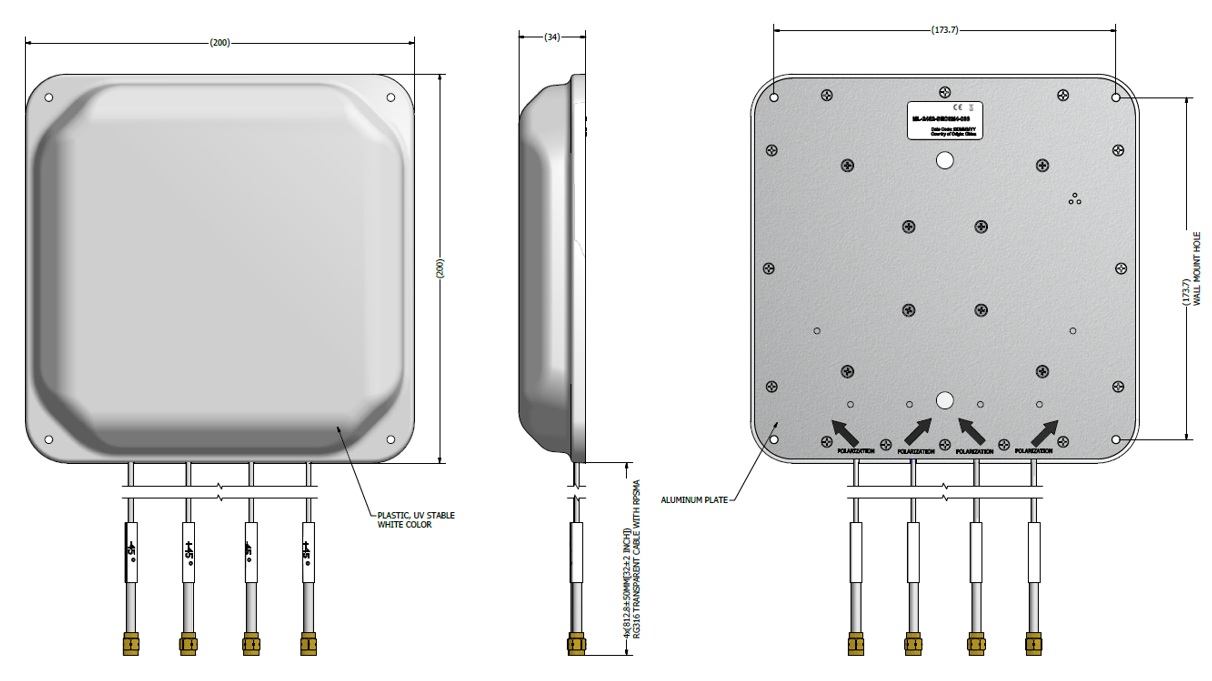
The ML-2452-SEC6M4-036 is a indoor panel antenna. It measures 200 mm × 200 mm
× 34 mm and weighs 1.00 lb (0.45 kg).
ML-2452-SEC6M4-036 Antenna
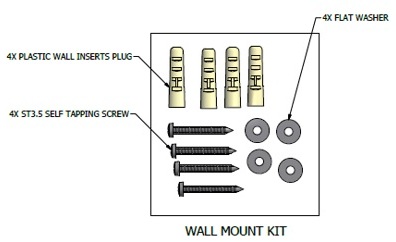
ML-2452-SEC6M4-036 Mount Kits
Procedure
Unpack the antenna from the shipping materials.
Using the ML-2452-SEC6M4-036 antenna holes as a template, mark and drill four, 5 × 35 mm holes on a wall.
Insert four plastic wall insert plugs into the mounting holes.
Place a flat washer on every antenna mounting hole template, and insert the self tapping screw through the flat washer.
Insert the self tapping screws into the plastic wall insert plugs, and tighten the screws.
Attach the 4 cables to the AP for the specified frequencies. Tighten the RP-SMA connectors to 5 inch-pounds. See the AP installation guide for information on connecting the antenna to the correct ports.