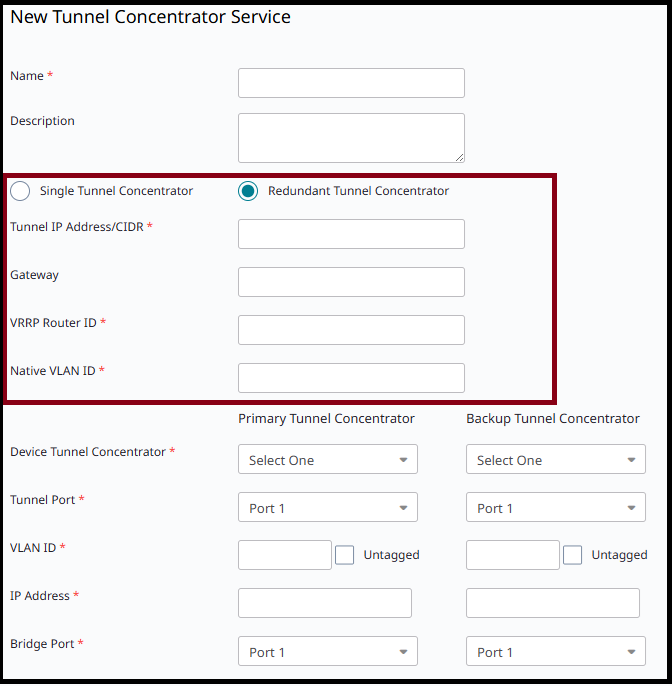
Configure redundancy on ExtremeCloud IQ by creating redundant pairs of Tunnel Concentrator instances where each instance in an HA pair shares a single VRRP address, and the pair has an active and standby instance.
When APs send data through a tunnel, they send the data to the shared VRRP address of the HA pair, with data being directed to the active Tunnel Concentrator instance in the pair. However, if the active instance goes down or becomes unavailable, the standby instance becomes active so that data can be directed to that instance instead.

Note
The VRRP configuration for HA is applied using the Tunnel Concentrator service configuration on ExtremeCloud IQ for a pair of Tunnel Concentrators. This VRRP configuration applies to both Tunnel Concentrators in a pair and should not be confused with the VRRP configuration for the data interface on Universal Compute Platform that gives an individual Tunnel Concentrator instance its login IP address.The following image illustrates an example of a redundancy setup with ExtremeCloud IQ. This example uses three redundant pairs of Tunnel Concentrator instances that are spread across two Universal Compute Platform 4120C appliances.

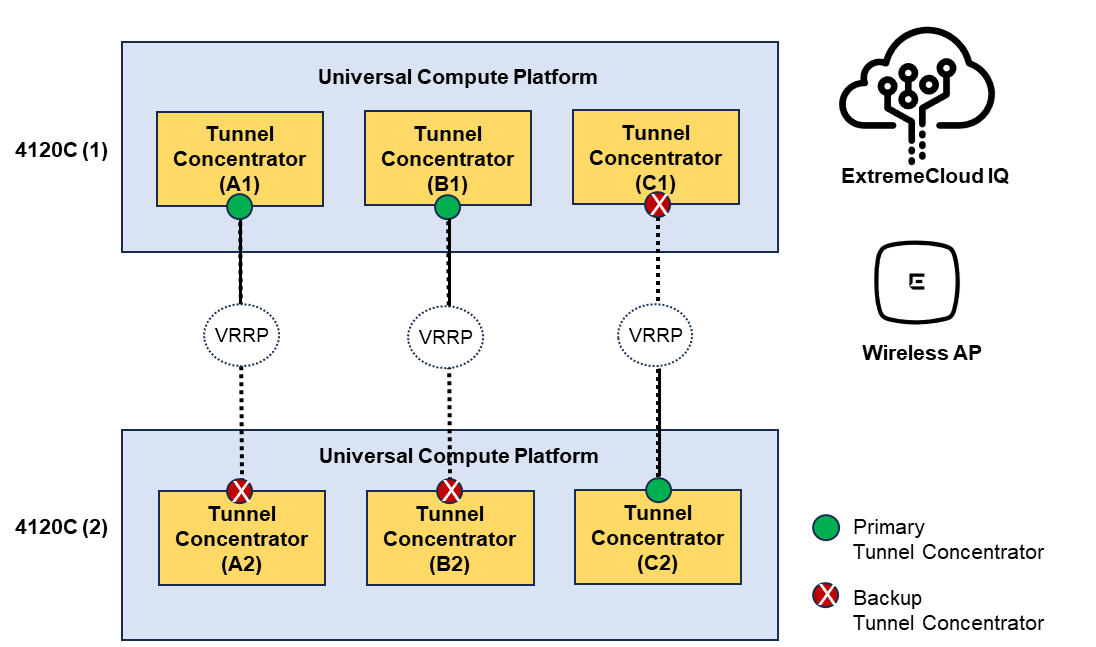
To configure redundancy on ExtremeCloud IQ, use the Tunnel Concentrator Service configuration under . The following image displays the configuration fields. The highlighted fields in the middle of the screen show where VRRP is configured for HA.
To add load balancing, create more than one Tunnel Concentrator service.