Configuring QoS Flexible Client Access
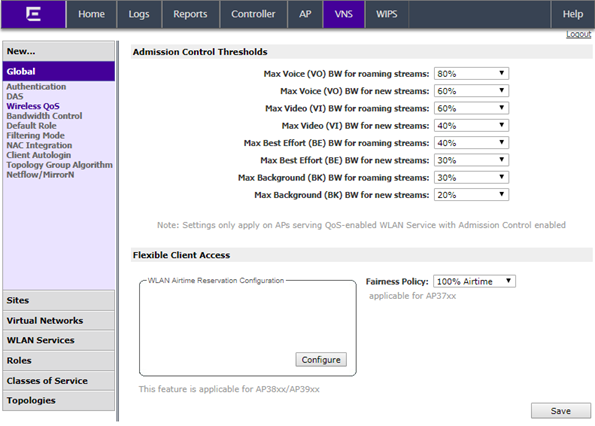
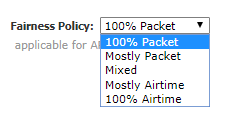
This feature allows you to adjust client access role in multiple steps between “packet fairness” and “airtime fairness.”
To define flexible
client access for VNS global settings:
-
Go to .
- In the left pane, click .
-
Depending on your AP model,
do one of the following:
- If configuring an AP37xx, select a role from
the Fairness Policy drop-down list.

Note
TSPEC must be disabled when using Flexible Client
Access.
- If configuring an AP38xx or AP39xx using Reservation Mode, click
Configure.
The Airtime Reservation
Configuration dialog displays.


 Print
this page
Print
this page Email this topic
 Feedback
 View PDF
 Download EPUB