Configuring an AP as a Thread Gateway
To configure the Thread Network on each supported AP, take the following steps:
-
From the top
menu, click AP. The
AP screen
displays.
-
Click the AP row (not the check box) for an AP
model that offers a BLE/802.15.4 radio.
The AP dashboard
displays.
-
Click Configure. The
AP Properties tab
displays.
-
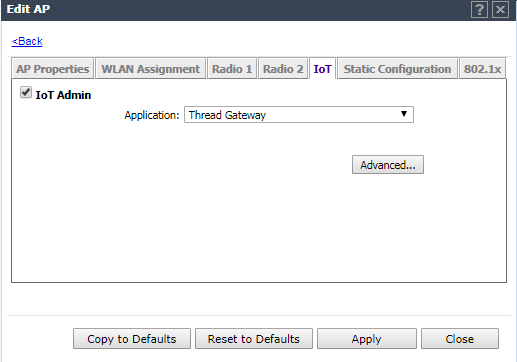
Click the IoT tab, and select
IoT Admin.
-
From the Application field, select Thread Gateway and click
Advanced.
IoT Admin Tab Thread Gateway
Application
The Advanced Thread Gateway parameters dialog
displays.


 Print
this page
Print
this page Email this topic
 Feedback
 View PDF
 Download EPUB