Managing an IoT Whitelist
Create a
whitelist of approved nodes for the Thread Network. The IoT whitelist applies to all
APs that are configured for Thread Gateway associated with the controller.
If your whitelist is empty, all sensors with the
default password THREAD have access to the Thread Network. Once you configure at
least one node on the whitelist, network access is limited to only nodes configured
on the whitelist.

Note
Once a whitelist is configured, only
nodes configured on the whitelist gain access to the Thread Network.
-
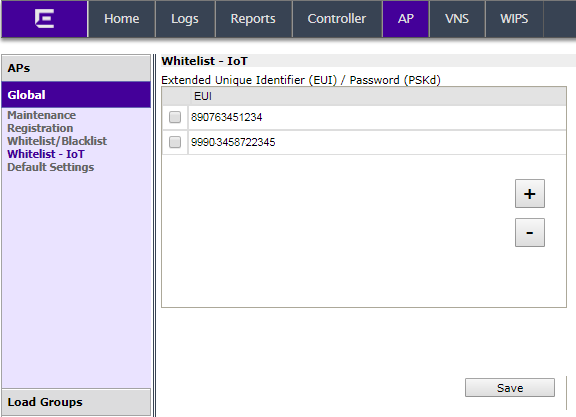
Go to .
A list of approved nodes is
displayed.
-
To add a node to the whitelist, click the plus
sign and provide the EUI (Extended Unique Identifier) and shared-password for
the node.
-
To delete a node from the whitelist, select a node
and click the minus sign.


 Print
this page
Print
this page Email this topic
 Feedback
 View PDF
 Download EPUB